ad

Friday, April 24, 2020

Half-life: Alyx

I was given the opportunity to use equipment from Infinite, a development and production studio from Prague specializing in virtual and augmented reality, who also has one of the biggest VR equipment fleets in Central Europe, including almost everything that is currently available on market.

When I was reading Sword Art Online or watching Black Mirror San Junipero episode I wondered when we would get a fully immersive virtual reality in our world. I also wondered what kind of effects it would have on us. We don't have that just yet but we do have virtual reality that is available for us to use at home. The game titles I had the chance to play did not offer an experience of an action game or a RPG game and I was quite curious about how something like that would feel no matter the visuals.
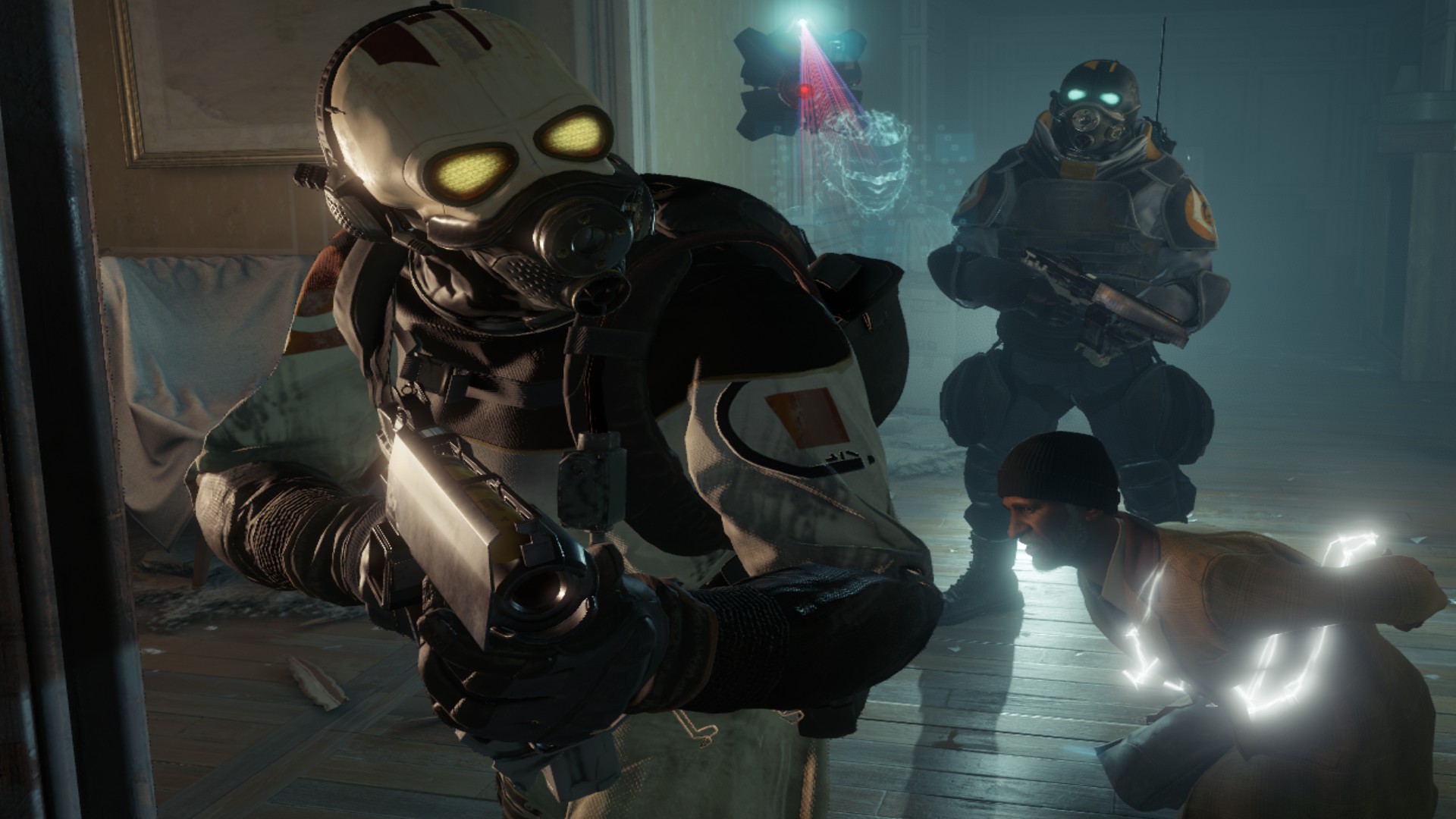
There are few games, like Fallout 3 or Metroid Prime 3, that fully immersed me in their story to the extent that I forgot that I was playing a game. That kind of experience I expected out of VR game and I was looking forward to it. After 13 years of waiting for Half-Life 3 we got a VR title bearing the name Half-Life. Its whole name is Half-Life: Alyx and takes place between the previous Half-Life games. You take on a role of Alyx Vance who was on a recon mission in City 17. At first, you try to find and save her father from the Combine. Later on, you get some information about the Vault, a big giant floating structure. The Vault is in theory some kind of big super weapon and you are supposed to get there and see if you can control it. You are led there by Russell who you hear in your ear (and with audio in the headset it's pretty nice experience), you get some help from a Vortigaunt you meet later on, who seems to be talking in riddles. In order to reach the Vault you have to go through the City 17's infested zone fighting both aliens and Combine soldiers.

I started downloading the game and after two days it finally downloaded. When it finished it was midnight meaning I should have gone to sleep. Instead I put on a headset and launched the game. I did not expect to stay in VR until 6 am.

I invited my flatmate to come watch. In the end I was very helpful they came to watch because they were doing way more than that. For the whole 13 hours they were telling me where I stand and where to move in real life so I wouldn't bump into stuff etc (I don't have set boundaries in VR due to my play area being too small and now I fully understand why not having them set can be dangerous). They were telling when to reload because I sometimes forgot about that and two pairs of eyes is always better than one.

The game starts in a calm place where you can start interacting with objects in the scene. For example you can pick up a can and squeeze it, you pick up a marker and draw something on a window nearby. You can pick up a can of coffee and try to feed a critter with it. After that you go on to save Alyx's father but you get captured by the Combine soldiers as well. You end up saved though and when you reach the safe house you are given a pair of gravity gloves. This allow you to make items fly in your direction and you can catch them. This makes it way easier to collect them (mainly ammo and resin which is used for upgrading weapons). You are also given your first gun. You'll be using the pistol most of the time since there is the most ammunition for it. Later on you will get your hands on a shotgun and a combine SMG. All the weapons can be upgraded at specific places with the use of resin - the only collectible in the game that will often require you looking at strange places (they are more hidden than ammo). Apart from enjoying the environment and walking around - in my case blinking around - you'll fight enemies, solve puzzles and play with electric current.

Combat in the game is similar to other FPS games in VR. You get to aim, shoot and reload while you are being under attack. You can crouch or hide behind a wall and then take your shots. There are several types of enemies that you will be encountering. There are Barnacles whose long tendril can grab you of the ground and you get eaten then. These need to be shot several times and they drop items, at least in the early Chapters. I have to say that I occasionally bumped into their tongue/tendril and ended up drawn up to be chewed on. That's pretty nasty experience. I also had a funny encounter with one Headcrab. There are several types of them, normal one you can easily one shot, Armored one that needs to be shot in its belly and a toxic one that lurks in the dark where all you have to light the space around you is a flashlight. The dark places are really dark and trying to move around, point your flashlight somewhere and shoot a moving enemy is not that easy. This is how a toxic headcrab attached to my face, blinding me and taking 2 and half life I had before I managed to shoot it off me. At that moment I felt similarly to when I played Resident Evil. I survived the encounter though and I hoped I would spot other enemies before this would happen again. That was scary.

The creature that gave me the hardest time was a Lightning Dog though. That's a fast moving elusive creature. If you come closer it will disappear in a black haze and you have to search for it again. They can also control a dead body and their attacks become even more powerful. I got electrified few times. Nonetheless I got past these too. After they are killed they drop something that pulses with electricity. I had the impression that it would explode any time while I was walking with it in my hand so I could try to use it instead of Combine Battery. On your journey to the Vault you'll also encounter Combine Soldiers and Heavies. Often the Combine Soldiers can be shot from a distance before they even spot you. And by the way, if you hit a canister on their backs they will spectacularly explode killing themselves and others in the vicinity.

Heavies are tough. Their attacks deal a lot of damage and can blind you with a white beam that even blinds you in real life. My eyes hurt after I got hit by that once. They also have a force shield that can't be penetrated by bullets. But they are very easily flanked so all you need to do is get close and shoot them from the side or back (but you can just head shot them from distance before they put the shield up). Where there are Combine Soldiers it is also likely that you will encounter Manhacks, little drones that can deal quite a lot of damage if they get near you. They are loud though so it's not likely to happen. Since you will be around in infested area you'll also encounter Antlions who are funny creatures. They are quite fast and you need to aim for their legs first and then shoot them in their belly. They come in big numbers which makes this a bit more tricky.
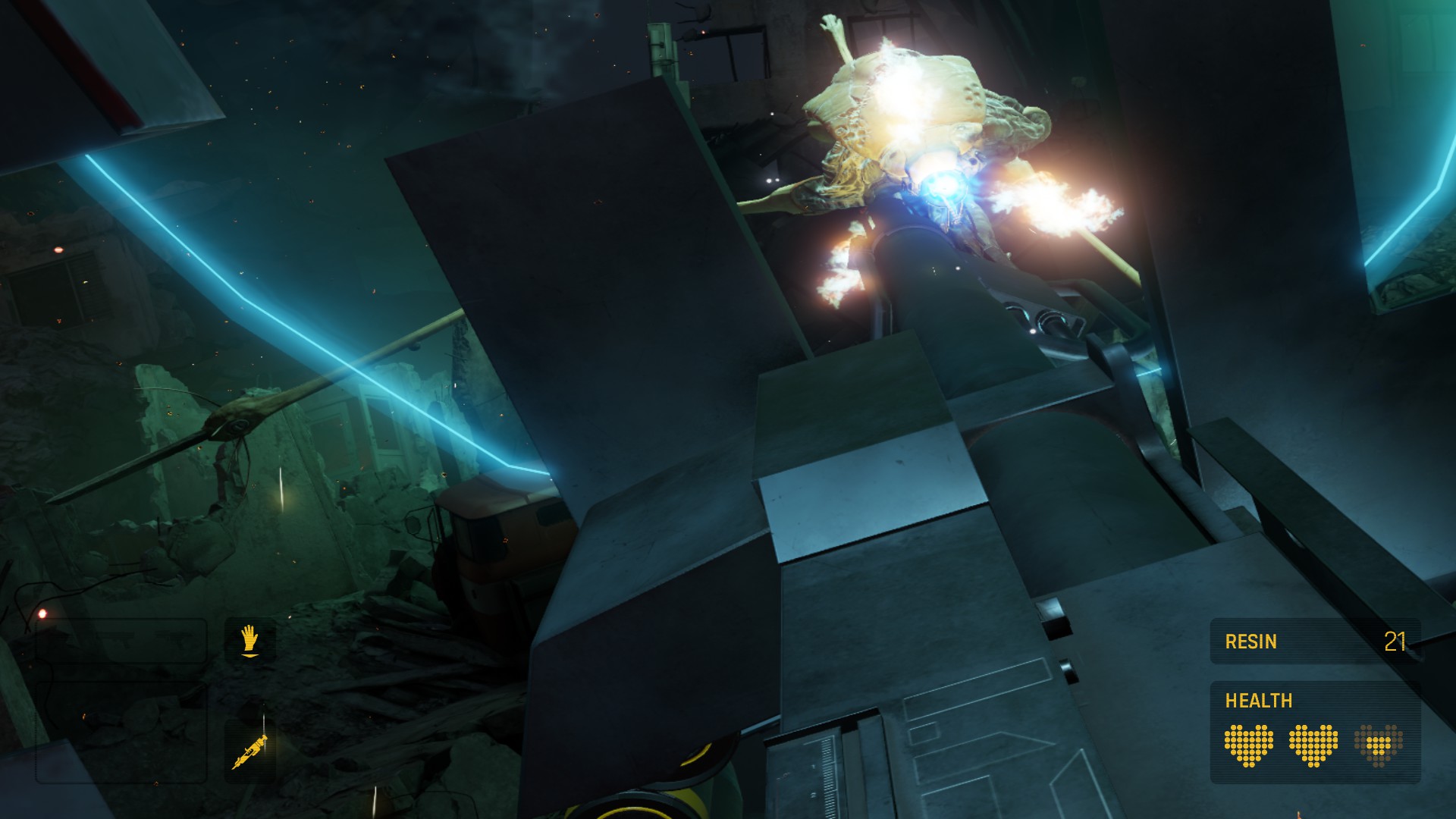
In the game you'll also get to fight a Strider - that's the huge long-legged creature you encounter early in the game. Hand guns don't do anything to it but you'll get a chance to use a really big gun that does the job. It felt satisfying after I spent some time running around trying not to get killed by the Strider's long ranged attacks.
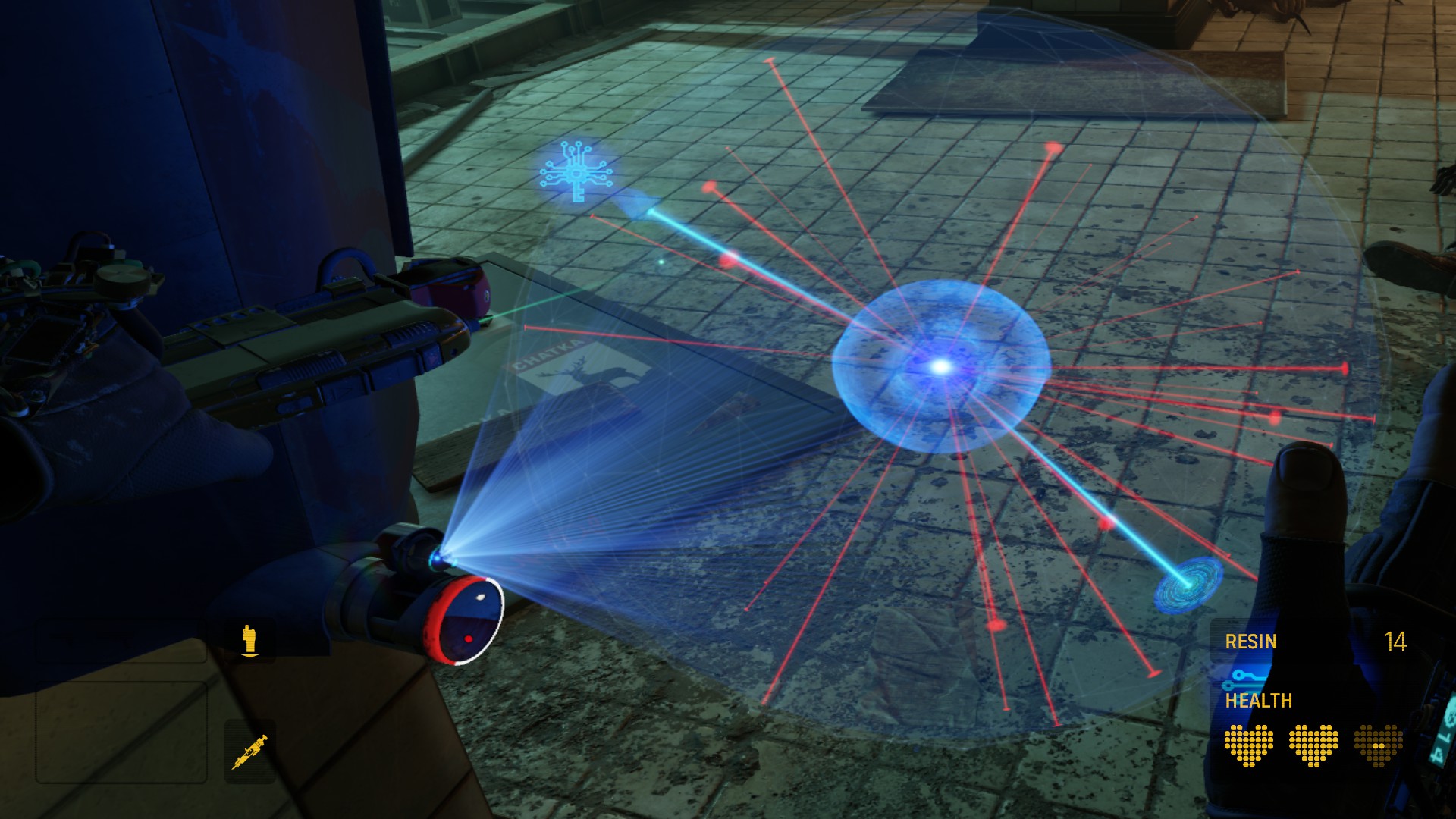
Apart from weapons that you use to fight your enemies you have access to multitool. This tool is used to disarm traps, open containers and it also reveals electric current. After you use a multitool on a container or a trap you will be shown a spatial puzzle that you have to solve. There are several types of them and they get more complicated the more you progress in the game. They are fun at the beginning but can become a little frustrating because they take more time and your controllers may not provide the kind of precision you'd like - at least my Touch controllers didn't. There are times when I just wanted to give up on a three phase puzzle but when I finally opened it and found more power cells I needed for my SMG I was glad I persevered.

As for flow of electric current. In order to open door or power other things like an elevator etc. you will need to reroute power to what operates it. You will have to locate a wire/cable that comes out of the thing you need to power and you should follow it somewhere where you will find an access point. You'll use the multitool from there and you will rewire the flow of the current so it reaches where you need it. Sometimes you will find out that you make a mistake and the current will flow right into an alarm bell which brings unwanted attention to your location. Later in the game you'll become an expert at spotting different colored cables and you'll wonder where the current will flow.

When playing in VR it is funny to observe how your brain handles that reality. Since I get motion sick pretty fast I was glad that there are different modes how to move in the game. For those who get sick by even playing a FPS game on a computer (me) there is a Blink mode that will make Alyx teleport from one place to another. Even with this certain movement got interesting. As I mentioned already, when Barnacle lifts you up and eats you, it's a motion that my stomach didn't particularly like. Your feet off even a virtual ground is something that doesn't feel great and certainly adds to the experience in game. Similarly walking on ledges that are pretty high, crouching on pipes above ground feels pretty 'real'. At least real to the extent that I did not want to move from the virtual ledge at all, my toes digging into the floor and my calves almost in cramps so I wouldn't fall off. I was standing just next to my computer in real life and I knew that in order to open a window hatch (behind which some Headcrab zombies were awaiting me) I'd have to grab a virtual space where the computer was. No matter what I still couldn't move.

There is a part of the game you will spend in an environment that plays with the gravity and it becomes even more interesting for the brain to process and stomach to stomach. I enjoyed every bit of the environment. It is something you wouldn't be able to experience if you'd played it as a normal PC game. There is big attention to detail and Valve made sure that you'd feel all those otherworldly feelings that you wouldn't be able to experience outside of VR.

I'm very glad that I got the chance to play this game, again thanks to http://infinite.cz who provided me with the needed hardware and the game itself. The experience was like nothing I experienced before in my life even though playing Resident Evil and Metroid Prime 3 came close. Valve made a good use of the VR equipment and created the game in way that shows VR's potential. I'd recommend this game to anyone who has hardware that can run this game. It's truly amazing.

Thank you for reading,
S'Tsung

Friday, April 17, 2020

Beat Saber

I was given the opportunity to use equipment from Infinite, a development and production studio from Prague specializing in virtual and augmented reality, who also has one of the biggest VR equipment fleets in Central Europe, including almost everything that is currently available on market.

Beat Saber is a Czech VR rhythm game. As the name suggests the player uses a virtual saber and uses it to cut flying blocks (beats) to the rhythm of the song played. Each beat has a color and direction and you need to use the saber of the correct color and cut the beat in the direction shown. The game has a very easy concept and (almost) anyone should be able to play it.

When the game came out I was well aware that I'd want to play it but I also didn't want to play it in public or at someone else's place. The reason being that VR makes me sick and usually after 20 minutes my heads starts to spin, I get dizzy and I have difficulty seeing what's in front of me. I can't walk straight at this point and it takes about 3 hours for this to go away. Since I've experienced this several times and I also get similarly sick when staring at something in 3d I simply wanted to avoid it.

First Session
One day a friend of my posted on Facebook that if anyone is bored and would like to try Beat Saber they are welcome to come and try it out. I decided to give it a try. I warned my friend that I might not be able to walk afterwards and afterwards I let him explain how the game works and what should I do.

I tried a song on Normal since I knew I could skip Easy for sure. I got an SS Full Combo so I decided to try the Hard difficulty. That was better. I struggled a bit with some patterns and I also had problems figuring out which hand holds the red or blue saber. When my brain finally understood that blue is right and red is left I tried some Expert songs. I managed to clear some. I even tried few Expert+ songs which I totally failed (even tried Max 300 which wasn't the best idea, the chart looked terrible.

When I got tired I went back to reality, I collapsed and spent the next half an hour in the corner of the room unable to move. Eventually I managed to get on my feet and after even more time I was able to more or less walk straight and manage to get home. At that time I thought that this Beat Saber session would be the last.

Second Session
Few months later, NX, another dear friend of mine, was doing a warehouse meet. What we do there is usually eat good food, talk and play games. Many people there were playing Beat Saber and I wanted to try. That day I didn't have the courage to do so, so I asked NX if I could come at another time and try it by myself.

My second session was mostly about playing Imagine Dragons pack which at the time I found rather boring - compared to the crazy songs I played on my first try. The charts I played seemed very similar and repetitive and since I'm not that much of a fan of Imagine Dragons I rated it quite low. (The charts I played the first time I played Beat Saber were really all over the place so I was surprised how similar the Imagine Dragons charts felt. Later though I found out that there are nice Expert and Expert+ charts. I played custom Hards which were more like Experts from this pack) I loved playing Beat Saber though. For some reason slashing those flying blocks to the rhythm of a music is extremely addictive. I felt like a wreck afterwards but it was totally worth it.

Quarantine Beat Saber
I read NX's post on Facebook that he is willing to lend his VR sets for the duration of the quarantine. I wanted to give Beat Saber another try and so I asked what's needed since I have no idea how such thing actually works. I learned that my computer is totally NOT VR ready. NX was so kind and let me use his computer. He even brought it himself and that's were my new Beat Saber adventure started.

Before being able to run Beat Saber I had to set everything up. NX brought me his powerful computer but I needed to connect a monitor to it. At first I used HDMI cable for it but since that had to be used by the VR set I had to find another way. The graphics card supported DVI but I had no DVI cable and my VGA/DVI thingy didn't work. Fortunately my flatmate came to the rescue, he got a DVI cable! After I plugged everything in I turned the computer on and then I realized that the game needs an internet connection. I was like...'ugh, I have no ethernet connection'. I looked at my BemaniPC currently using like 15 year old Wi-Fi adapter and hoped that it would actually work in Windows 10 since I only ever used it on my WinXP Embedded computer. To my surprise I didn't need to install anything, it just auto-installed and worked. I connected to our Wi-Fi router and asked my flatmate to add that computer's MAC address to the allowed connections. They were like 'What's the password?'. And I was like 'I don't know, you changed the password and I didn't get the new one'. So we had to reset everything and I was very happy entering a crazy password on all my devices. Finally NX's computer was connected to the internet. Oculus started to communicate with me and I it asked to be configured. The fun could begin because the space where I play is not VR ready either^_~ (the play area is according to Oculus a 70x60 rectangle). I hit ignore and confirmed all the warnings and just forced it to function. During the setup the batteries ran out and I wondered if we even had something like that. Thankfully we did. All this took me about 3 hours of time and I couldn't wait to play Beat Saber again.

I ran the game and I put the headset on. After I did it I realized it was a mistake because I'd have to blindly look for the controllers. Inubashiri came to the rescue and put them in my hands. I also had no idea where I stand and since the center set in oculus was not actually the place to stand I had to figure out how to get there without killing myself or destroying anything in the vicinity. I made few steps back and when I bumped into a heater I took a step forward. I stared at the Beat Saber warning screen for some time trying to figure out what to do to make the touch controllers work. After pressing some buttons the right one started to work and I clicked on OK or something and proceeded to the game.

I clicked through the song packs to see if I wouldn't find a song I'd know and Pop/Stars showed up. I spent the last few days playing DJMAX and the game starts with this song highlighted. So I decided to give it a try and later recorded a video of it.

The first day I was fooling around and playing on Hard and Expert to see if I can clear some songs. I could S songs on Hard and A songs on Expert with the exception of Camellia songs where I couldn't pass the hard difficulty. I was quite sad about it because I wanted to play his songs a lot. I'd have to wait few days until I'd be able to read better.

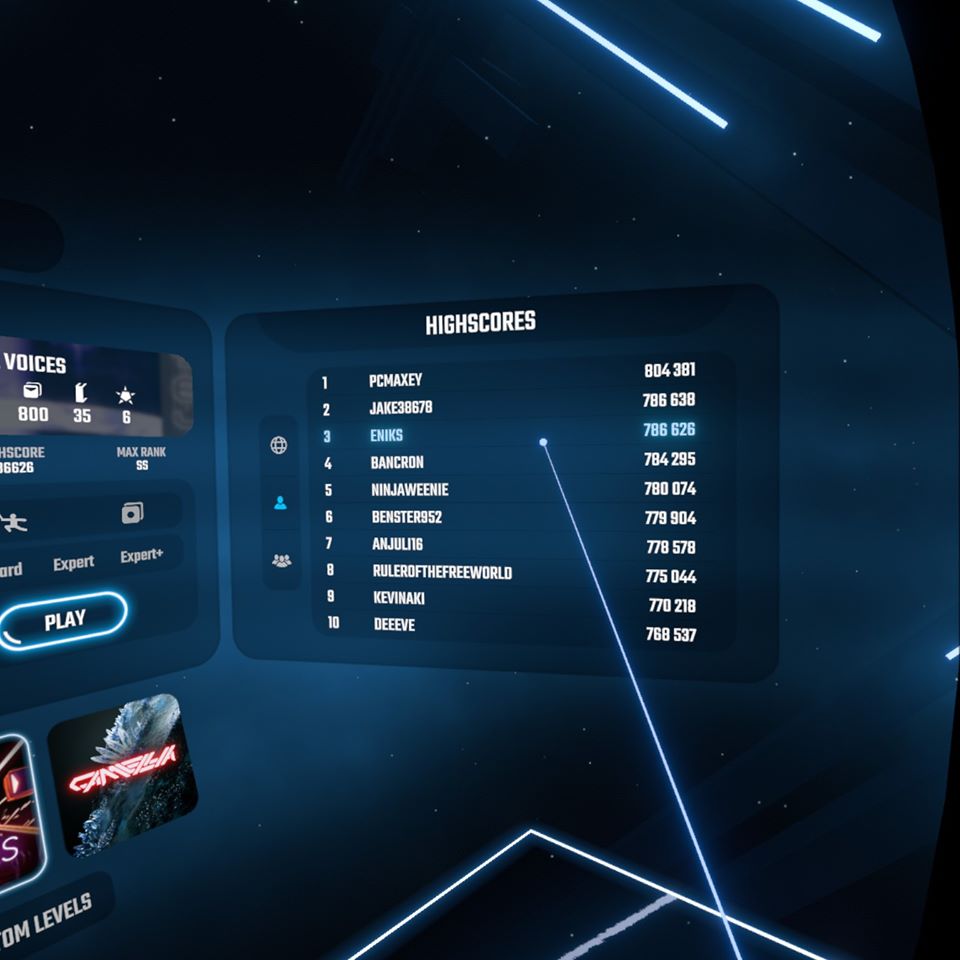
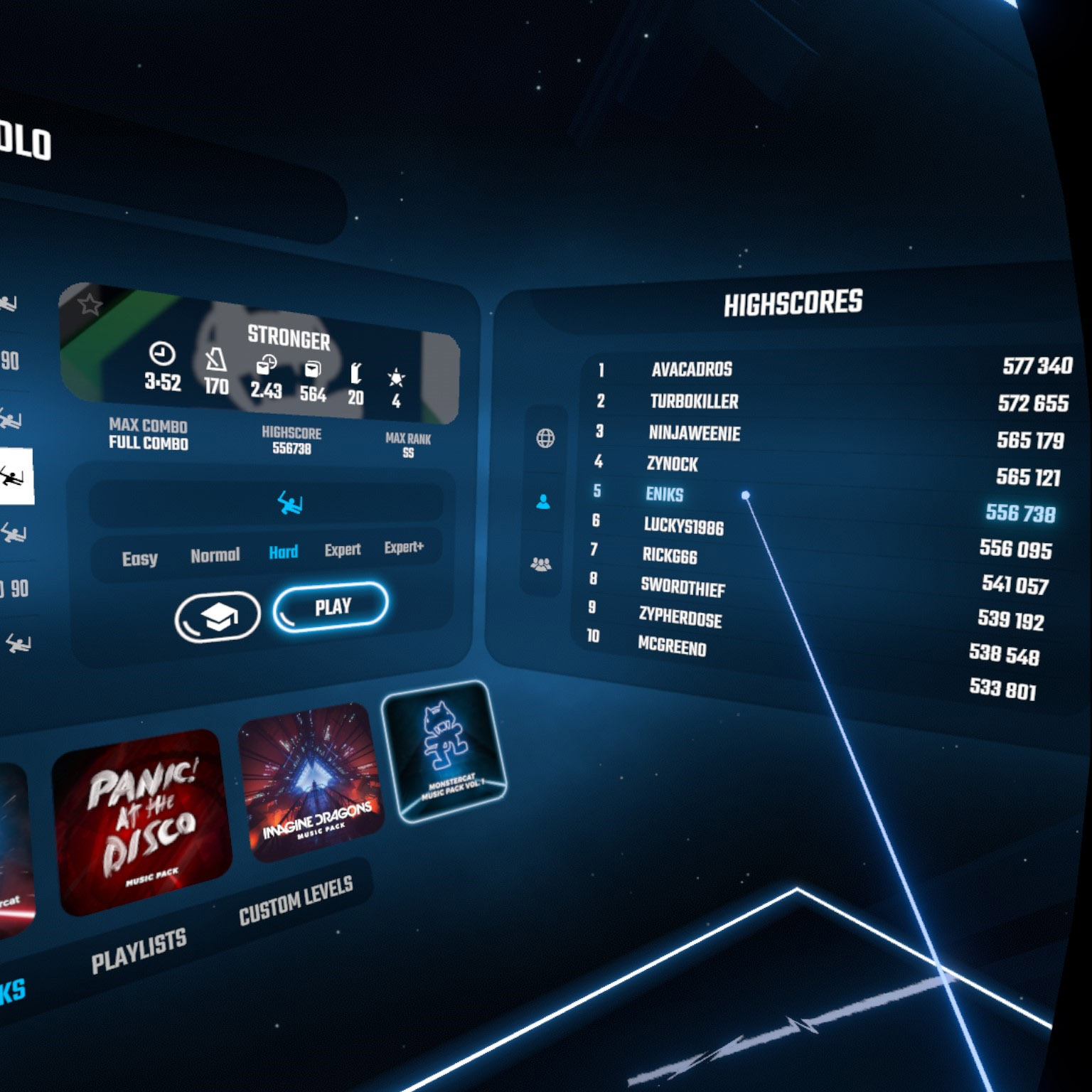
A week later I got a bit better, I could SS songs on Hard, S songs on Expert and I decided to give some Expert+ songs a try. I didn't do well on them so instead I started tinkering with the settings. At first what I wanted to achieve was higher scrolling speed but I didn't find that option anywhere. I noticed though that some options would give you a better score - that being faster song, disappearing arrows, ghost notes. I turned Faster Song and Disappearing Arrows on and tried that on normal. I got SS Full Combo but the score was way higher. I tried it with Hard difficulty as well and while I couldn't SS and full combo all songs my percentage was between 89.7 and 94.5 %. The score with these mods sent me to the top of the leaderboards.

The next day I decided to play all songs on Normal this way, followed on Hard and then clear all songs on Expert. There are two Expert songs that I didn't manage to clear as of the day I write this post (both are Camellia songs). After this I went back to Expert+ difficulty and after few days of playing on Faster Song and Disappearing Arrows I found out that my ability to play got actually better and I suddenly was clearing songs on Expert+. I recorded one of the easier songs I cleared because I was happy that I got better.

I wasn't sure how the reading ability affected my ability to play Beat Saber and didn't realize it until I started playing with the mods. The disappearing arrows or ghost notes made me read in a different way and made me more aware of the flow of the charts. This way I also realized that when playing Camellia songs and thinking that they were too fast for me I realized it was actually the other way round - I was the one who was too fast. After slowing down I finally hit the correct amount of notes and all was good. I also had to get used to diagonal notes because those either require me to move faster or tilt my body so I could cut them in the same manner as I cut the ones that are vertical/horizontal.

One more thing I realized is that my grip is not great. I think that on day 1 I managed to accidentally throw away the controller (nothing happened to it). From then on I was tightening the string more so it wouldn't fly away again. Anyway when playing more streamy songs (see Camellia songs) I realized that I need more control over the controller but didn't really figure out how to grasp it more securely.

After playing Expert+ songs and Expert songs with Faster Song on I needed a break and decided to see what the Campaign is about. At first it seemed like a tutorial. In the campaign you will be told how the scoring works (how to correctly cut the notes), you will also learn about different mods and score multipliers and that there is the possibility to play with one saber.

There are 31 missions, some have letters, like 16a and 16b so there's actually more of them. They start on Easy and the last ones are on Expert. The missions have conditions that need to be met. It can be a minimum score, maximum/minimum number of misses, bad cuts, combo, distance 'slashed' etc. The easiest missions were the score ones for me. The missions I replayed were the minimum misses/bad cut ones. I usually didn't realize that I was supposed to be missing some notes!

So that sums up the past two weeks of me playing Beat Saber. I burned 1000 calories per session (I burn twice as much playing Dance Dance Revolution). Garmin Connect shows 576 Intensity minutes of workout per week by just playing Beat Saber. I was hoping that playing Beat Saber could help me lose some weight. I am not sure how much and for how long I'd have to play but so far it doesn't seem to have any effect on my weight (I gained weight). The quarantine will last few more weeks probably so I'll continue playing and see what future will bring. It certainly would be nice to lose weight by playing games I like.

There is still some room for improvement on the official songs but I'm pretty well set for playing custom songs. I do not want to fiddle with the game or computer since neither is mine though so I'll stick with the original content and see if it will still be fun for me in two weeks time. Currently I like Beat Saber so much that I'd consider buying a VR headset. Unfortunately I do not own a VR Ready computer and I don't even have the money for either. Due to the quarantine I do not have any income and even the one I had before is not good enough to pay the bills. If I will get my hands on a VR Set though one day, I'll certainly wade in custom songs.

I would like to thank NX again for this great opportunity to play Beat Saber. If you, my fellow readers, never tried Beat Saber give it a try. Be it at arcades or home, the game is totally worth it.

Thank you for reading,
S'Tsung (stsungjp on Twitter)
Thursday, April 16, 2020

Beat Saber 30 Day Challenge

In April, during quarantine, Infinite.cz was so kind and provided me with Oculus Rift. My intention was to use it to play Beat Saber - a rhythm game I longed to play since like forever. I was still recovering from the corona virus at the time but starting the second week in April I was able to start physical activity and that also meant playing Beat Saber for real. While trying to find some information about Beat Saber I landed on Beat Saber's twitter account finding out about a 30 Day Challenge that just started. I wanted to participate and didn't want to post it publicly but on day 3 I decided that maybe I could actually do it because it would keep me committed.

Since I didn't make majority of the videos public on YouTube I decided to create this post with all the videos.

This challenge was actually way more beneficial for me than I expected in all kinds of ways. Since I just started playing Beat Saber you should be able to see some progress. I started playing on Expert so maybe the progress may not be that obvious in my videos. On day 1 I did not expect to pass any song on Expert+. On day 3 I passed 7 different songs on Expert+ thinking that passing any Camellia song on Expert won't ever happen. A week later I had B grade or higher on all the songs but GHOST and Cycle Hit. There is still a lot of room for improvement and I plan on passing all Camellia songs on Expert+ one day.

The challenges also made me discover One Saber Mode. Unlimited Power on Day 2 was quite painful for me. Not only because I struggled with that particular song on any difficulty but also because that strain on my arms was too much. Even though I play other games with my hands/arms I wasn't used for that kind of motion range. It also made me realize that knowing the right trajectory for the sabers to hit notes properly is more important than I initially thought. Thanks to that I learned how to stream which was the primary reason why I was failing Camellia songs.

When trying to Full Combo songs I had to pay more attention to when and how I hit the notes. There were notes I was pretty much missing all the time and this forced me to analyze why and change my play style accordingly. Now I don't have problems with the notes that fly somewhere above my head.

Those are just examples of what I managed to learn or realize and I doubt I would have discovered that without doing this 30 Day Challenge.

Since I was streaming and uploading at least one video per day and I wanted the videos to be watchable and not making other people motion sick. That's how I ended up playing around with avatars and mixed reality capture. I used LIV for both and thanks to Infinite.cz again, I was able to get my hands on Kinect camera. I didn't manage to calibrate the camera the way I wanted but considering my play area the result was actually good. As for avatars, I got curious about how to create an avatar and how to import it into mixed reality recording. I learned about VRoid Studio and installed Blender for modelling and Unity for creating a game object and I'm considering creating more 3d content in the near future. I created an avatar for me and my flatmate and I have to say that I am glad I did this. This 30 day challenge gave me something to do and I wanted to do it. For years I've been depressed and not having the motivation to do anything. Not even playing games I liked and this changed that.

Thank you Beat Games Studio for Beat Saber and this challenge. For that one month I found the will to live because there was something I was looking forward to and everything became easier because of that and I hope it will stay that way. That I alone will be able to find more challenges for myself and keep me busy and keep depression at bay.

Here are the 30 videos I recorded. I'm not proud of some but completing this challenge felt rewarding.

Tuesday, April 7, 2020

Etterna Online server

Long time ago someone added me to a Czech and Slovak gaming group on Facebook. It's like 70% toxicity and 30% of an actual content of varied quality so I don't usually check it that often. Today though I saw someone playing some crazy chord jack-y song on what seemed to be a Stepmania 5 build. In the zillion of comments underneath I found out that the game is named 'Etterna'. I searched for it and found the Etterna Online website.

Here you can download a SM5 Etterna build, create a profile on the website and gain access to many song packs including 'normal' and keyboard charts. Then you just play, your scores are saved on the server and you can check your standing in the leaderboards. Well, you get the idea.

At first I just downloaded old song packs that we used to play at conventions but then I thought why not give the Etterna ranking a try. I downloaded more song packs, mostly those that had anything BEMANI in the name, and tried some songs. At first I got totally lost on my dance pad and I was unable to sync. There was also something that bugged me but I couldn't quite figure out what it was. It was also making my accuracy go haywire. During this time I recorded some songs via OBS because I thought I'd share few songs so people could see that you can use legs to play 4 panel. Just after that I gave Etterna a bit more thought. I started to look for cell noteskin and after copying to the game I realized what was throwing me off - the note hit animation. The default noteskin in Etterna might actually have some animation but it's almost unnoticeable. Also the colors of that noteskin were messing with my head. When I saw a note that was supposed to be purple it was green! So glad I changed the noteskin. I set my settings to C730, mini 50%, Distant and all was fine. More or less. I'd appreciate a higher speed mod but unfortunately my monitor didn't seem to like higher speed than that.

Anyway here's the video I recorded using my iphone and OBS. Unfortunately I can't seem to figure out how to get record a good video

After playing probably way too much than my body could handle I decided to see if I could possibly play on the keyboard. I just tried the same settings I had for normal play and upped the speed to 750 BPM. I could read the charts more or less but my fingers were kind of puzzled about what to do when seeing certain patterns. I practically failed some tens. Ok, I didn't fail them but my score was around 60% which was unacceptable. I can get way higher score with my legs!

After few more failed attempts at trying to play on the keyboard I realized that I could possibly be playing Beatmania IIDX and clearing tens with 60% instead of this. I didn't switch to IIDX but went back to the noteskins. I downloaded IIDX Empress noteskin and put in my noteskin folder. I set Reverse, Overhead and hit enter on the same song I played before. Suddenly my score went into 90.xx! I struggled with the noteskin a bit for a while and it took me few songs to figure out where the problem was. I was in Perfect window rather than in Marvelous one. I realized that the red target line is not actually where one should be confirming the notes but rather below it on the key graphic. But otherwise I realized that with these settings I can be better at clearing songs on a keyboard. Nonetheless, my legs are still better at accuracy and speed. Here's a video of me playing Destiny, a 10 (not sure what the difficulty is)? The SDVX Station I pack is awesome.

After playing more songs requiring me to do hell a lot of jacks I decided to hook up my SVSE5 controller and try playing 4 panel on it. This time around the game itself started lagging so it even became difficult to record. But when not having OBS recording my game session the client runs fine and I could play eve harder songs than on keyboard.

Monday, April 6, 2020

PS3 Eye, iPhone used as webcam, iVCam and OBS Virtual Camera

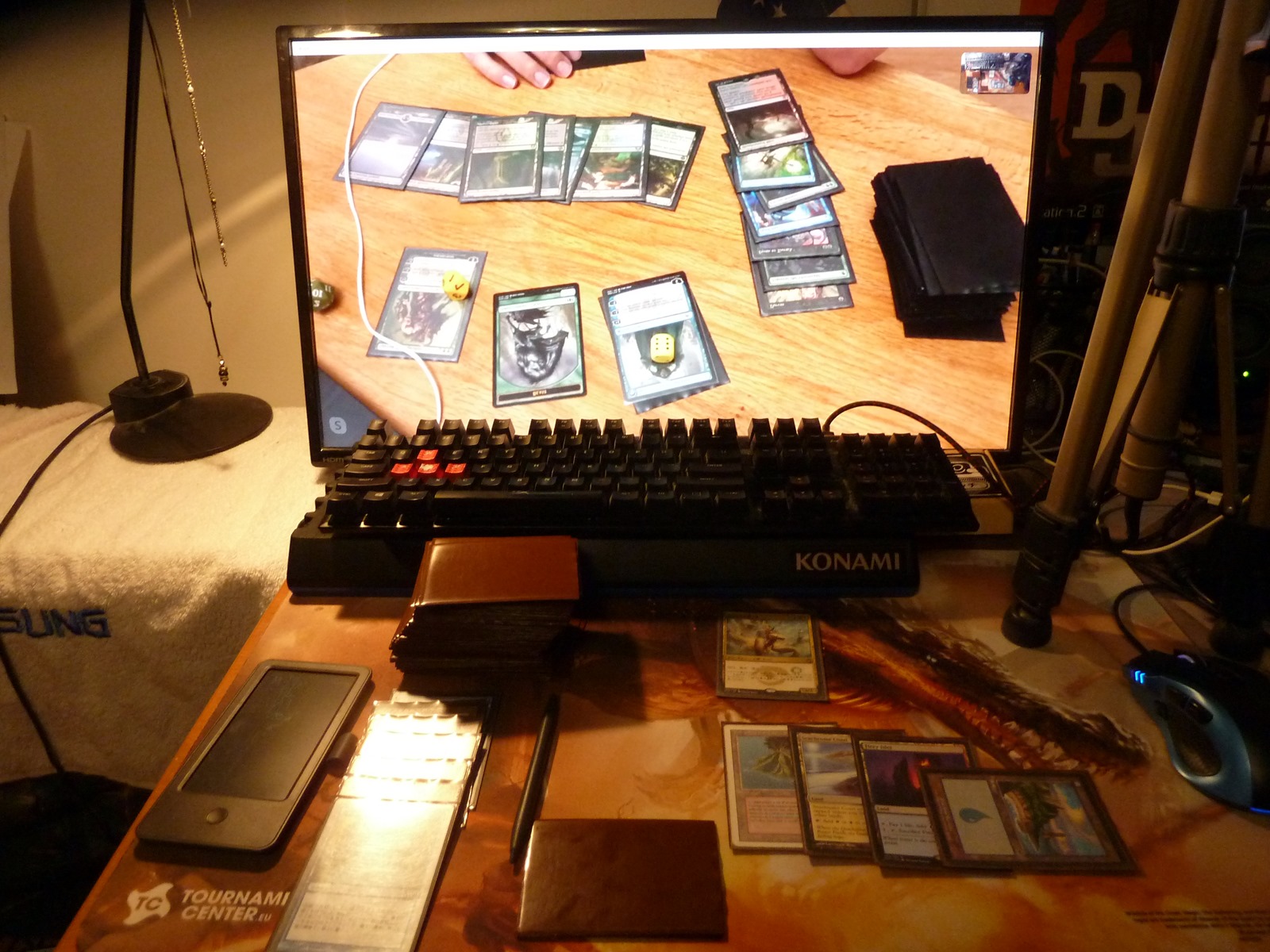
During quarantine we are stuck home and it's up to us to figure out how to have some fun. Paper Magic players can't go to their local game stores to play face to face and that is why some decided to try Magic over Skype or other service like Whereby or Hangouts. I wanted to give it a try as well but I had to overcome certain technical difficulties. The thing is, I do not own a webcam. I have an integrated webcam in my notebook but it is not sufficient for paper Magic nor anything where the camera needs to track movement. Since I am a rhythm game player and sometimes record videos of me playing I needed a 60 FPS camera. I didn't want to spend too much money on a webcam and I was recommended using PS3 Eye camera which can under some conditions work under Windows.

PS3 Eye
The camera records at 640x480 and 60 FPS and does quite a good job for just few bucks. It worked just fine for what I bought it for so I decided to give it a try for recording Magic as well. The problem is that PS3 Eye is a Sony Playstation product and was not intended for use in Windows (Win10 in my case) and that is why programs like Skype do not recognize the camera (note, rather it stopped working with a certain Windows 10 update. Under Windows 7, it seems to work just fine and probably will work with older version of Win10 as well).

If you want to get the camera working there are several drivers you can get, some are actually free. The best place to check what is available is PSMoveService at GitHub. In the past I had a hard time finding something that would actually work and so I ended up with a CL Eye Driver. The driver though didn't enable the camera for all applications and even exposing the camera as a DirectShow object didn't help. I could see the camera option on Discord (and other software) but it simply didn't 'initiate'. The microphone though works everywhere without a problem and is actually better than the integrated one in my ROG Strix G series notebook.

Since I was unable to make it work I started looking for other alternatives (note, that in the end I made it work thanks to OBS Virtual Cam (read below))

iVCam
Finding an alternative without buying a webcam seemed bleak but that was probably just me not thinking in today's technological terms. It dawned on me just after one of the Magic players said he used his iPhone as a webcam. Yes, we live in a time where everyone has smartphones that are connected to the internet and can record high definition videos. While I have not so old iphone I pretty much use it as an alarm clock, camera and occasionally as a telephone. So the idea of using it as a webcam did not come to my mind. There are several apps that allow you to this. I was recommended iVCam and after reading reviews of other available apps this seemed as the winner. I decided to give it a try after reading what it can possibly do. It sounded like a dream. I doubted it would work as many things requiring Apple device to connect to Windows PC don't really work that great.

I downloaded the trial version and tried making it work. The automatic connection didn't work over wi-fi for some reason (I can connect to my phone via wi-fi normally in other apps for both upload/download, I have UDP open and even turning NOD32 off didn't help). As for USB it didn't want to connect either but then I was told that I should have itunes open in order for it to work (it's possible that the Apple Application Support service can run without iTunes open). When I launched iTunes and got like 10 error messages it actually started working (for a second). After swearing because of my silly Apple lightning cable not working most of the time and my computer not recognizing the USB Device I finally got it working. The tricky part just awaited me - placing the iPhone from where it could record. Here's a photo for those interested, not an ideal setup but it worked.

After I managed to place my camera on the tripod without making it fall off it I played with the settings a bit. I learned it can record in FullHD or even 4k and that it can record even at higher frame rate than 60. I set it to FullHD and 60 FPS and checked the output video from OBS. It was superb. I decided to buy this app and use it. I think that there's a high probability of me wanting to use this in the future. After I bought it I started running into more problems that may or not be linked with my computer/software or iphone and its lightning cable.

I wanted to give it a try and play some games of Magic. I joined Hangouts call and found out that my feed was mirrored or flipped. After playing against the player who suggested the software and seeing his feed mirrored as well I came to the conclusion that it's the software's feature. I didn't understand why this was happening but fortunately there is a simple solution to it. The iVCam itself has various settings that can be set - exposure, ISO, auto focus (disabling this is a good thing as it seems for some phones), auto white balance, which camera you want to use, mirror or flip image. If you click on mirror it should fix the feed for Skype etc. The not so great thing is that most probably some programs won't be getting the mirrored image but the one you see in the iVCam preview. For example as I mentioned earlier the feed from OBS was perfect, when you hit on mirror it will be correct when you use it in Chrome or Skype but it will be flipped in OBS. In order to fix this I flipped it in OBS and keep it mirrored in iVCam so I get the correct image feed everywhere.

The second problem I ran into was re-initializing the feed. When my phone disconnects apart from 'Device not recognized' error I also get a Attempt to Host Timed Out error on the iVCam app. I tried closing both applications and starting them again just to see the same error. Re-plugging the iPhone didn't help either. In the end I found out that when closing iVCam it does not actually stop it from running. The app has to be killed manually and then relaunched. The phone needs to be re-plugged to my dismay because that leads to 'Device not recognized' error. It looks like a vicious cycle and it takes a while to get sorted out but it will eventually work again. Time is of essence when you are playing Magic tournament and have a limit for the round. Nonetheless I was able to finish my games in time even with running into problems during each round. I seriously hope that I'm the only one with these issues and if not, well just note that it will take some time tinkering with this.

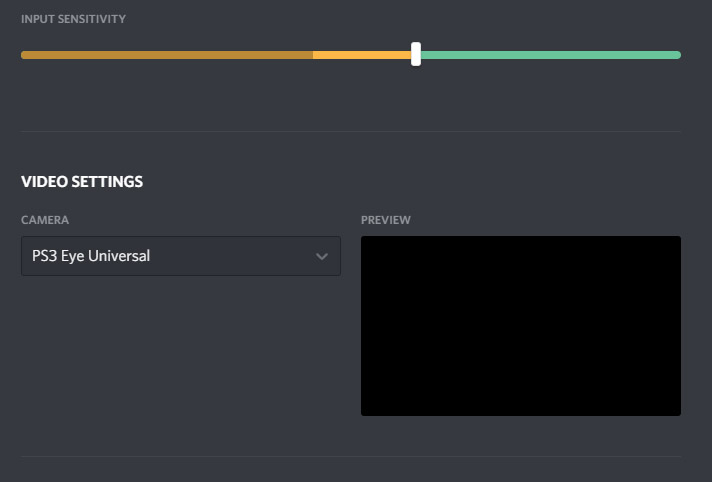
Later we played a Magic event on Discord and I found out that even though the iVCam is seen as a source it gives me the same black screen as the PS3 Eye camera. Since I got pretty upset about this whole thing I tried to figure out how to make it work in Discord in between rounds. After a minute of googling for some random keywords I encountered a video labeled 'Your stream setup over Discord'. While I hate watching video tutorials and videos in general I clicked on it because I was curious and I also expected this could make my camera work somehow (see OBS can see all my devices properly). It was about using OBS Virtual Cam and I'm glad I learned about it.

OBS Virtual Cam
The OBS Virtual Cam is exactly what the name says. It allows one to use whatever you set up on OBS to be seen as a camera feed in other software. It can be downloaded from its GitHub page. You either download the installer and hope it does what it is supposed to or you copy the contents of the zip file into your OBS folder. Then you register it as a direct show source. Run CMD as Administrator (hit win key, write CMD, right-click the cmd and run as Admin) type something similar to this regsvr32 "C:\Program Files\obs-studio32\bin\32bit\obs-virtualsource.dll" (write the correct location of obs-virtualsource.dll on your machine). Do this for the 64bit dll as well.

When you have done all this you can run OBS and click on your already setup scene. Then all you need to do is navigate to Tools and click on the Virtual Cam. There you hit start and close the window. Now your stream setup can be seen anywhere! You set the target camera as source, in my case OBS-Camera.

So in the end buying iVCam was not necessary since I could have just used OBS Virtual Cam but I don't regret buying it because it does allow me to use my iPhone as a very good video recorder or webcam and I'm sure I'll put it in a good use from time to time. Hope this post will help some other people running into the same issues as me.

Thank you for reading
Ren